
Coflow
Code map for VS Code
See how your code runs.
A zoomable map beside your editor, from the whole system down to every line of one function, computed from the code itself.
Or search for benisalla.coflow in the Extensions view (Ctrl+Shift+X).
- Free and open source (MIT)
- Runs locally
- Python today, more languages planned
It starts from what runs
Scripts, web routes, CLI commands, tasks and tests are the entry points, and the map follows what they reach. It is not a folder tree.
It shows what is not connected
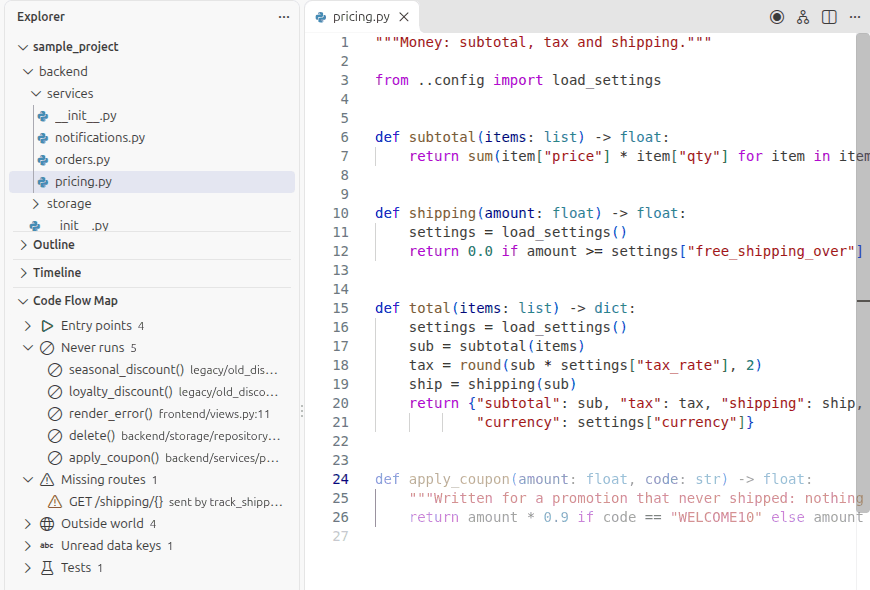
Code that never runs, requests to routes that do not exist, and settings no code reads.
It runs on your machine
No AI, no network access and no telemetry. The same code always gives the same map.
How it works
Three views of the same project: start from what runs, step back to the system, then go down into the code.
From main
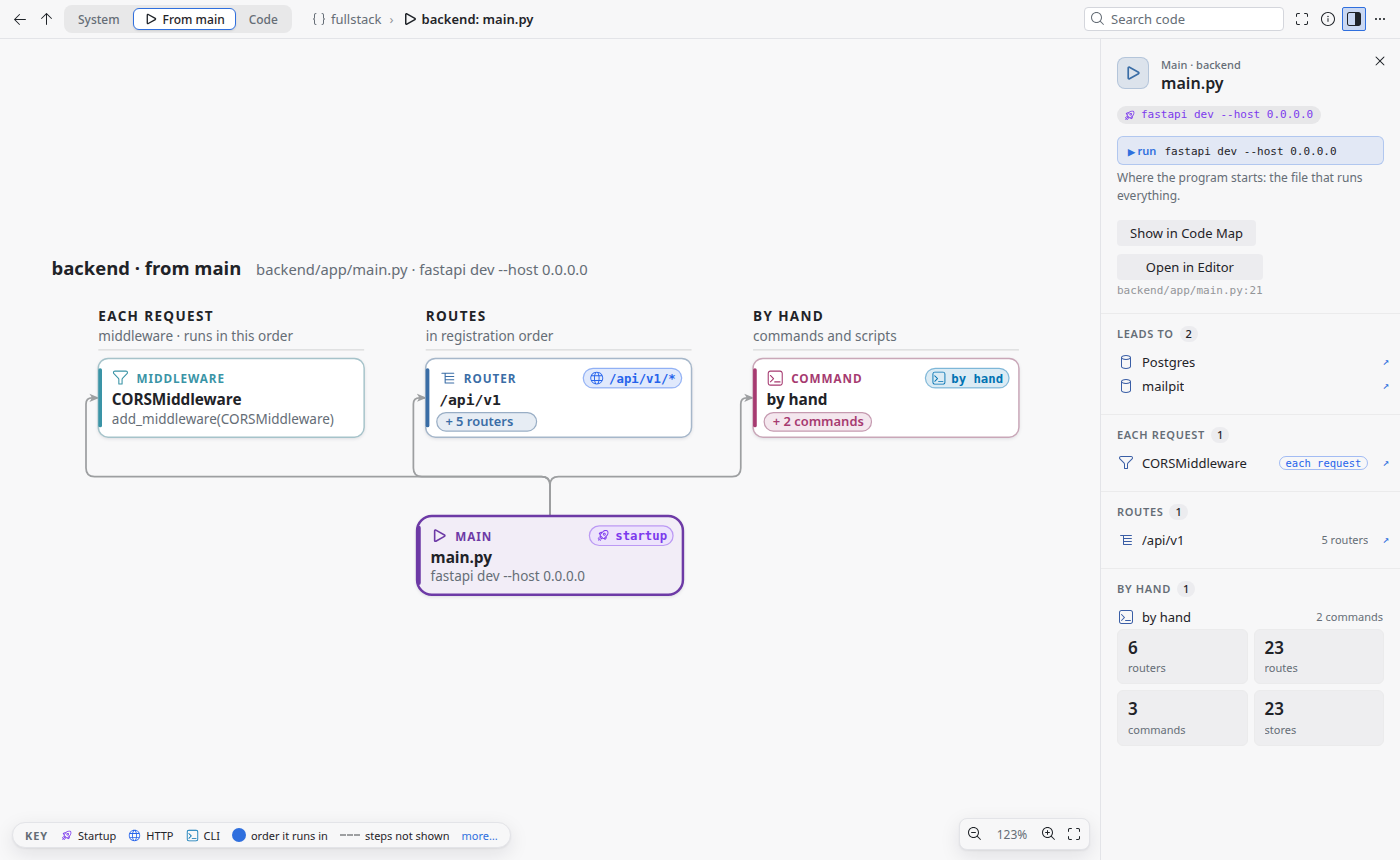
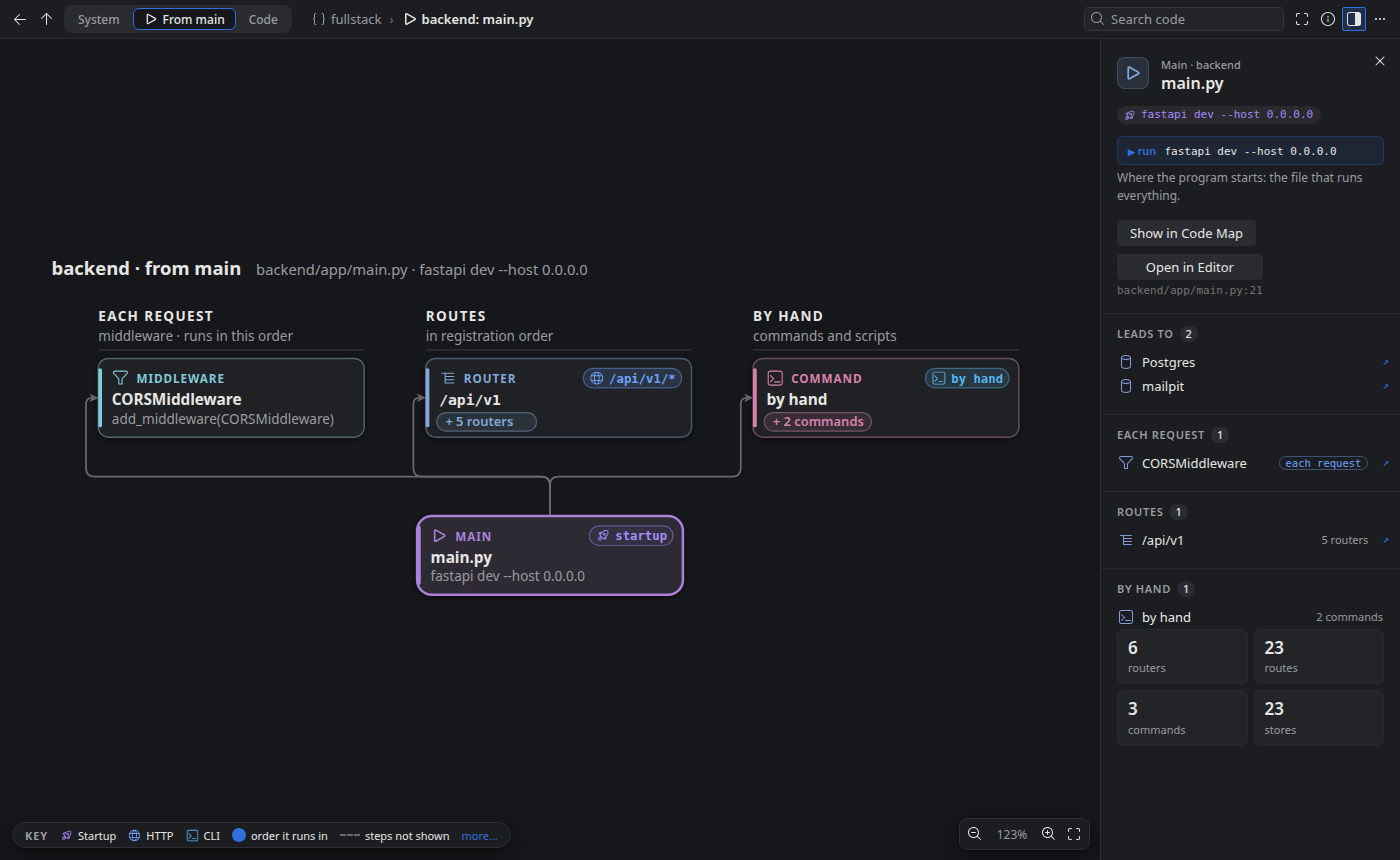
Start where the program starts: the file that runs everything. Every route, task and handler shows what triggers it, and selecting one lights the full path main → route → handler → database.
The system
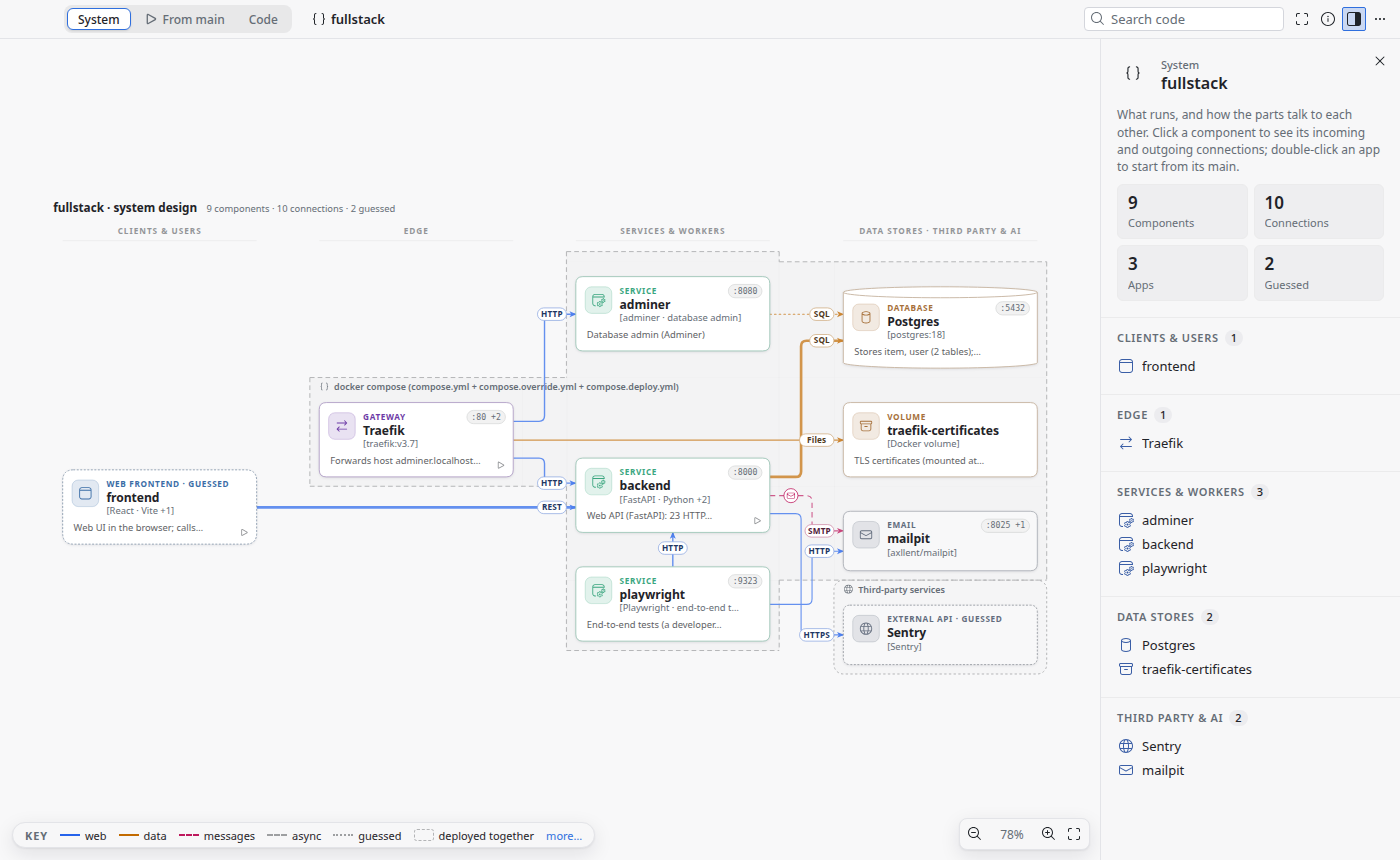
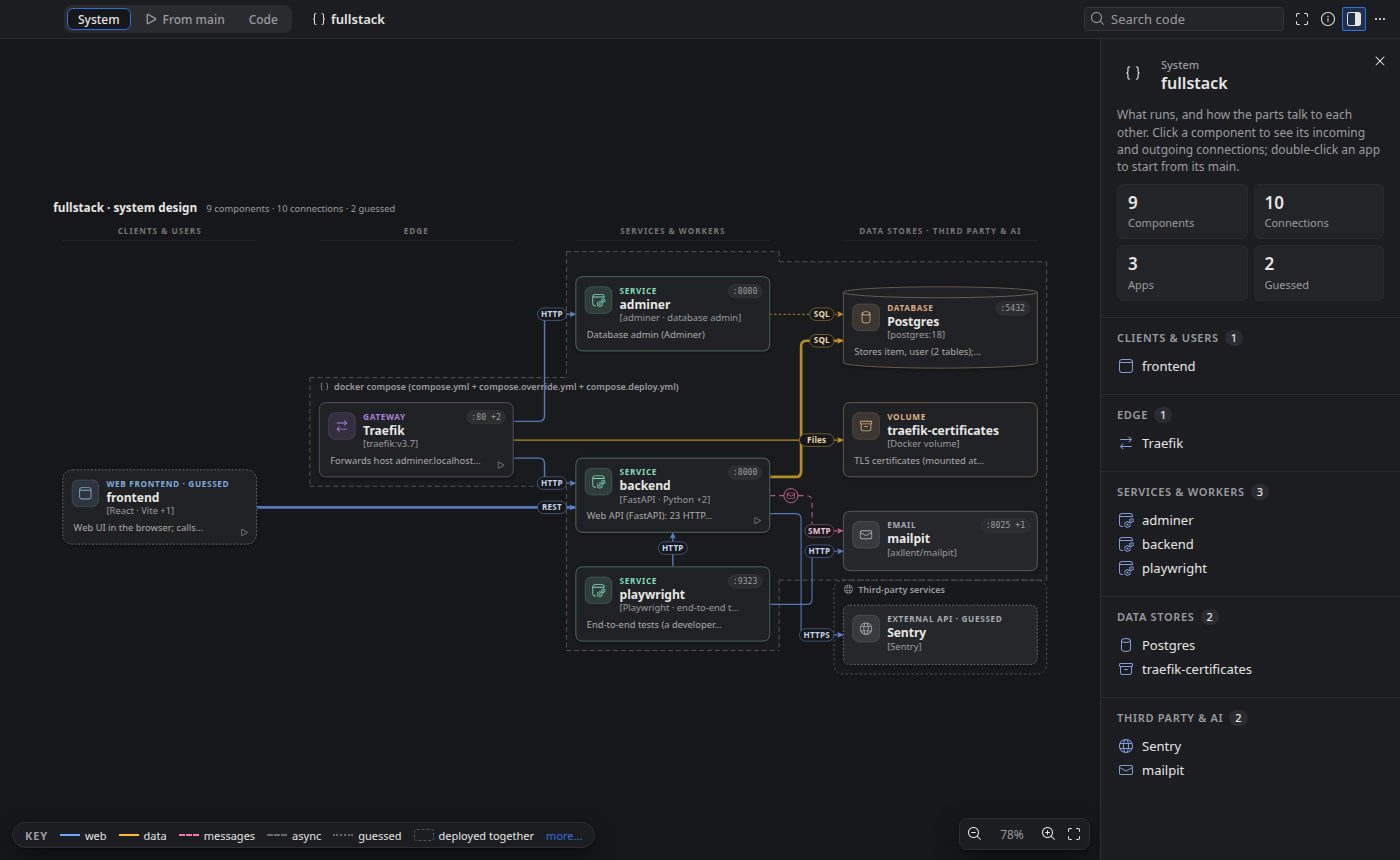
Step back to the architecture: apps, gateway, services, workers, databases, queues and outside services, read from docker-compose, nginx, frontends and routes, with every connection labelled.
The code
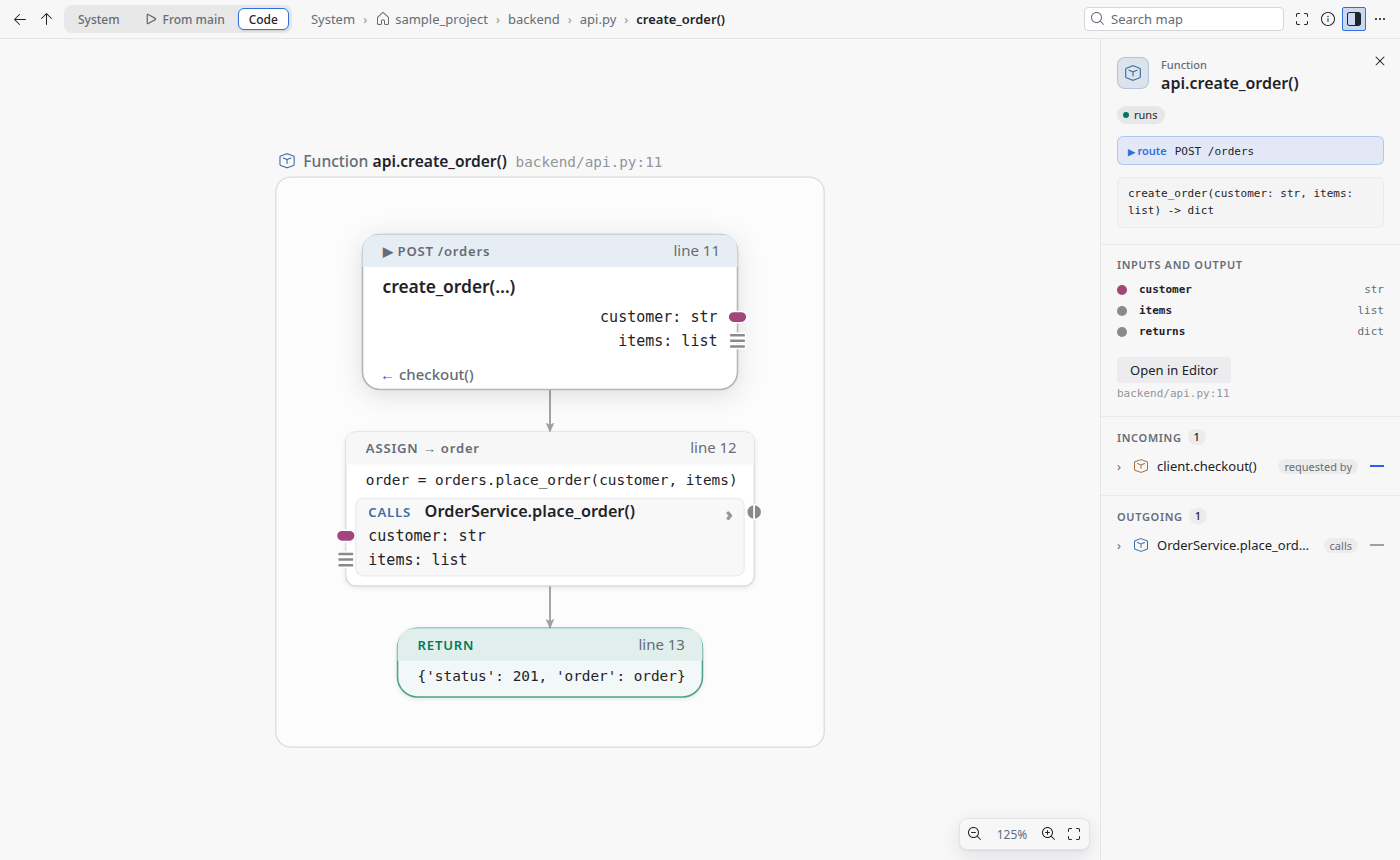
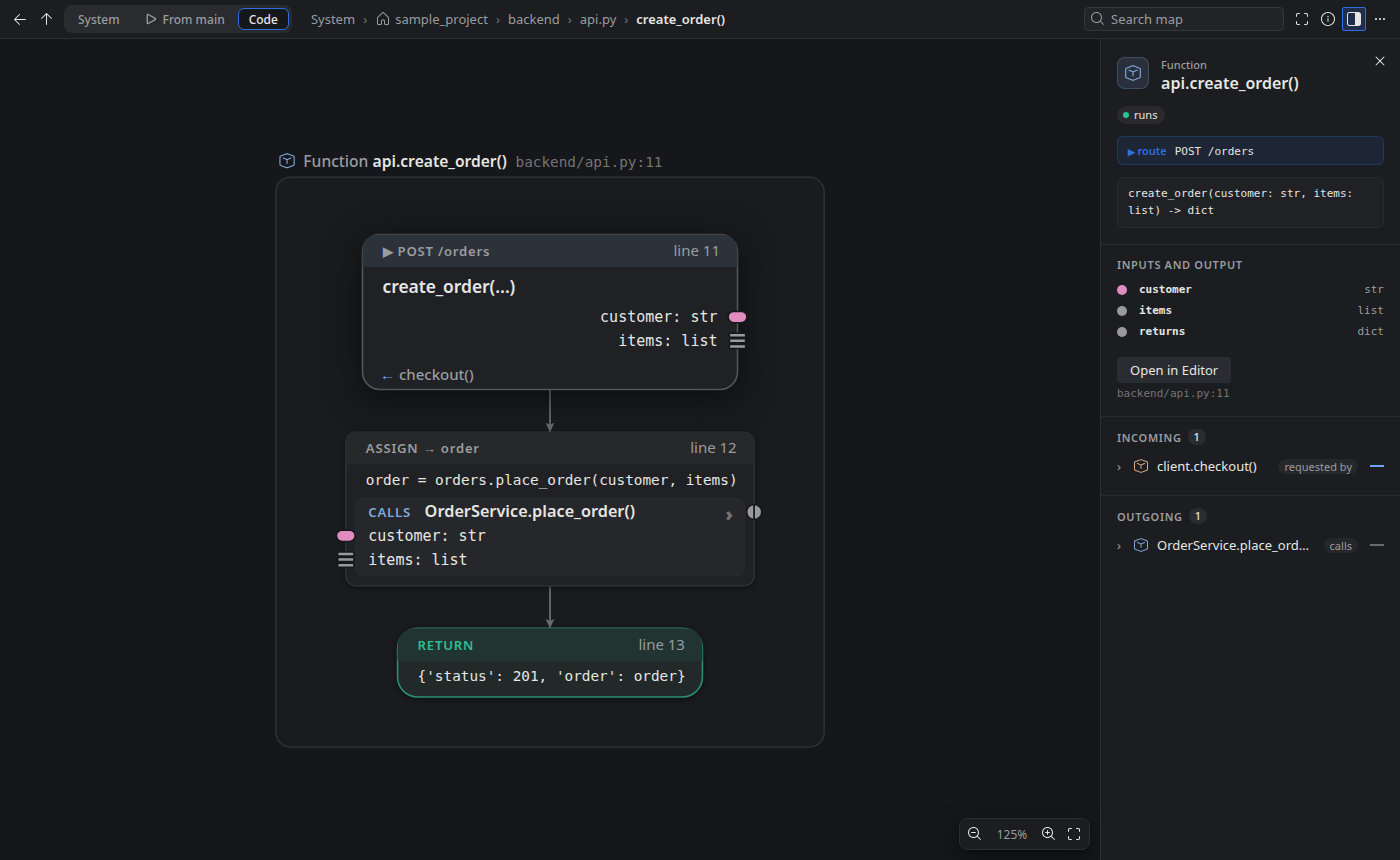
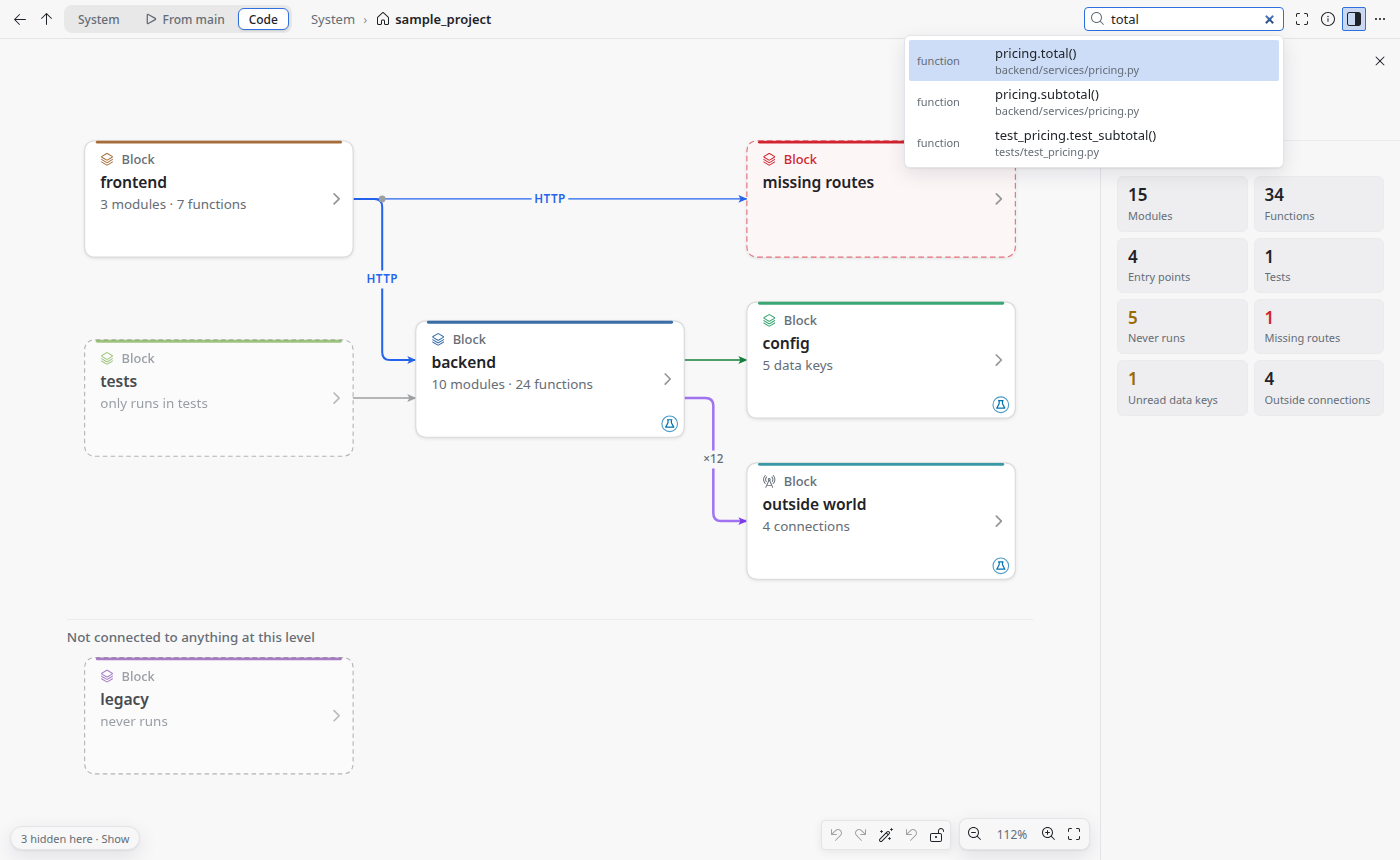
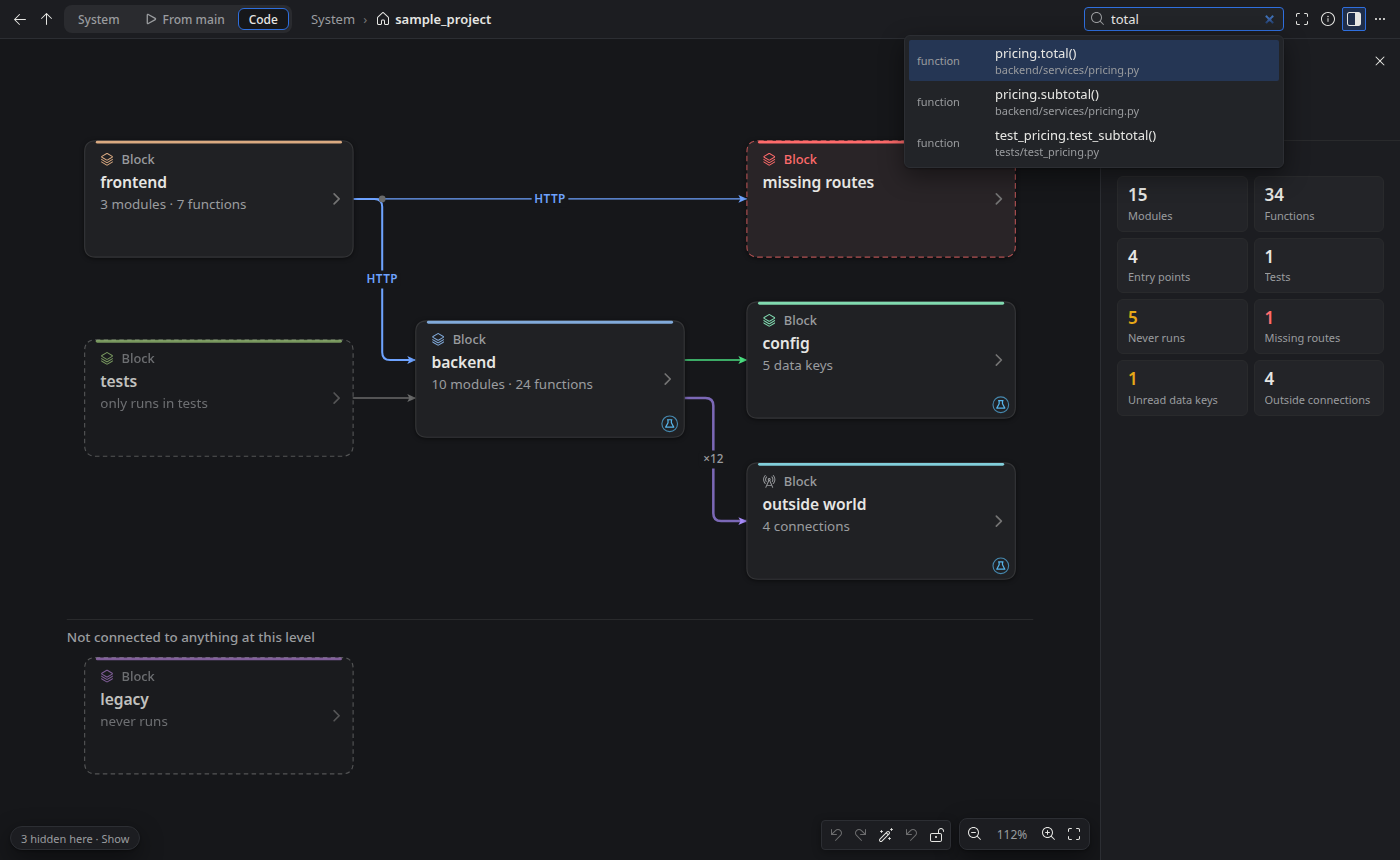
Double-click to go inside: a block, a package, a module, a class, then one function drawn line by line as a flowchart.
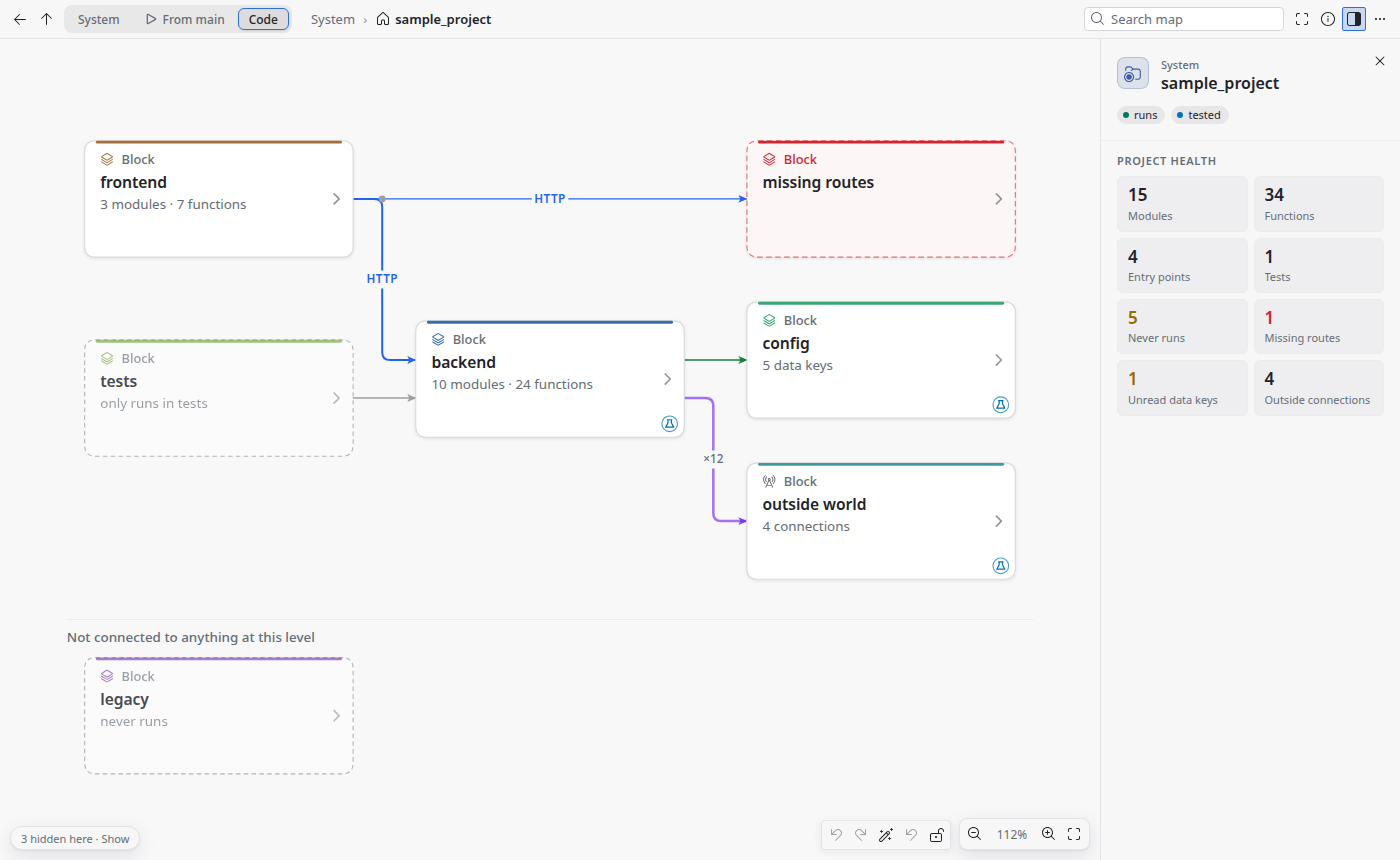
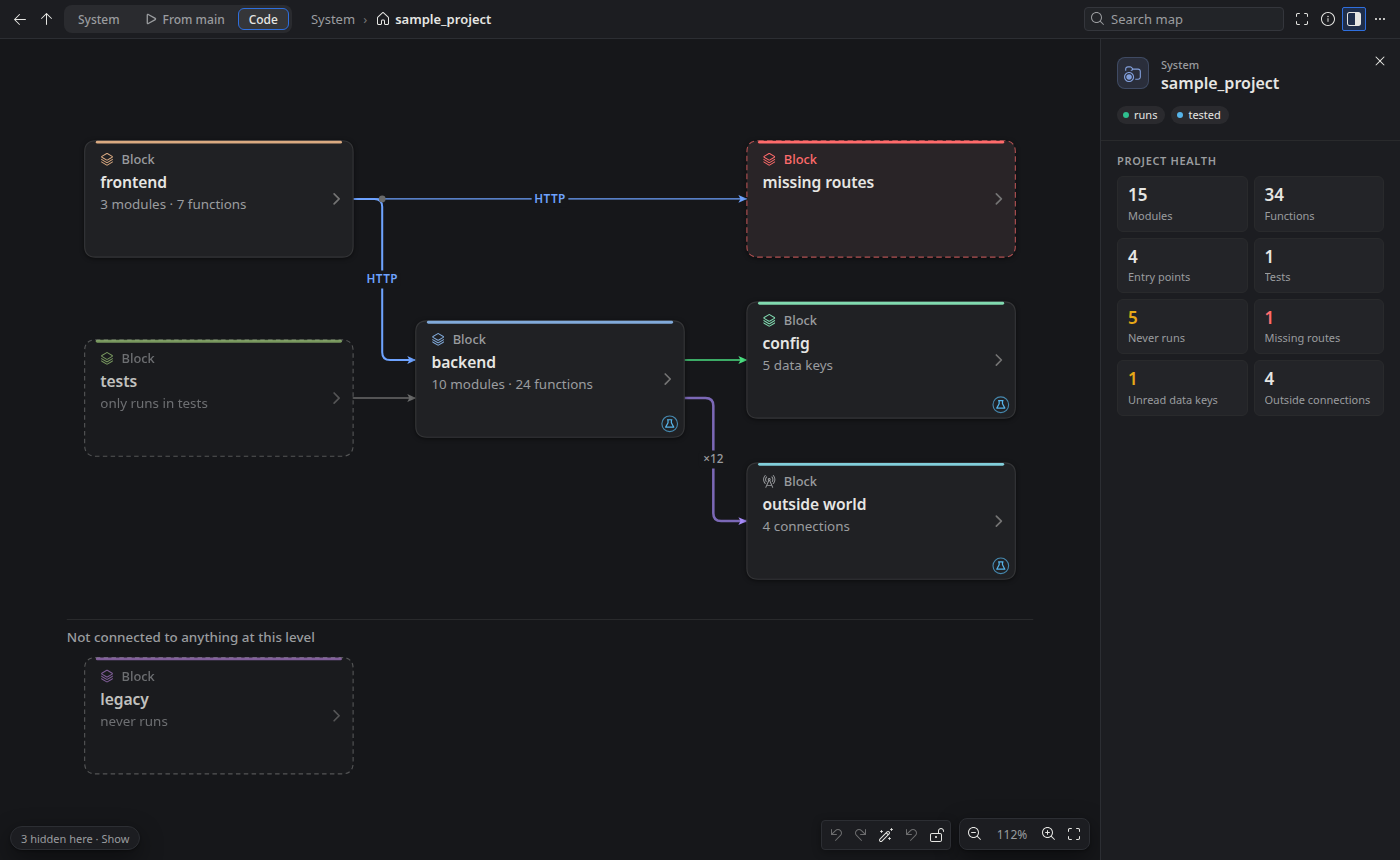
Screenshots
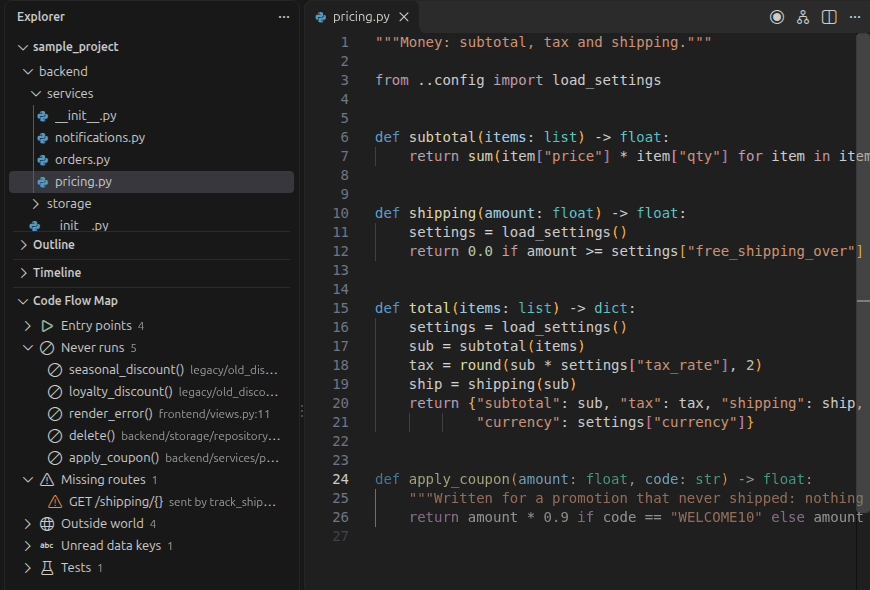
Each screenshot follows this page’s light or dark theme, as Coflow follows VS Code’s.
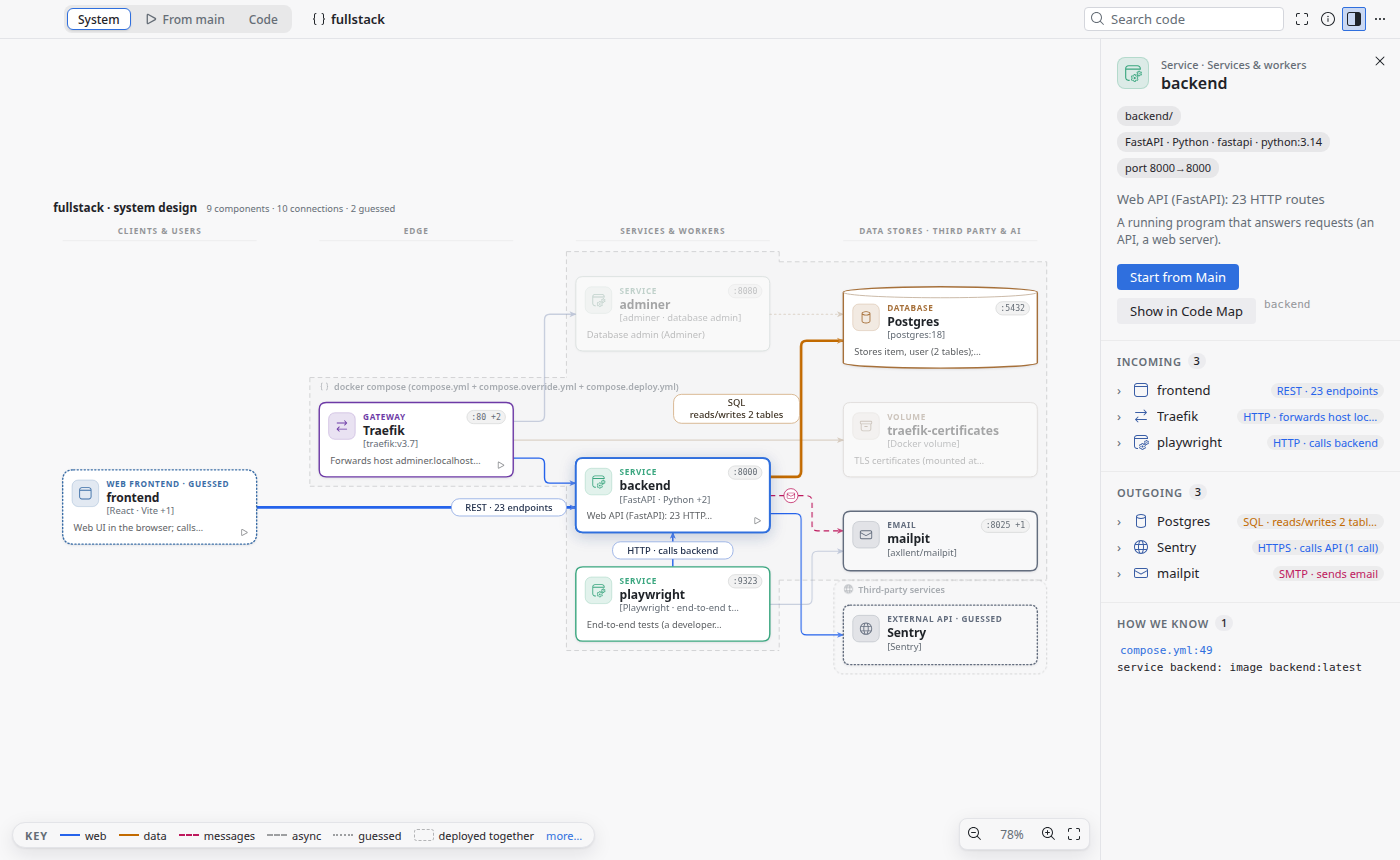
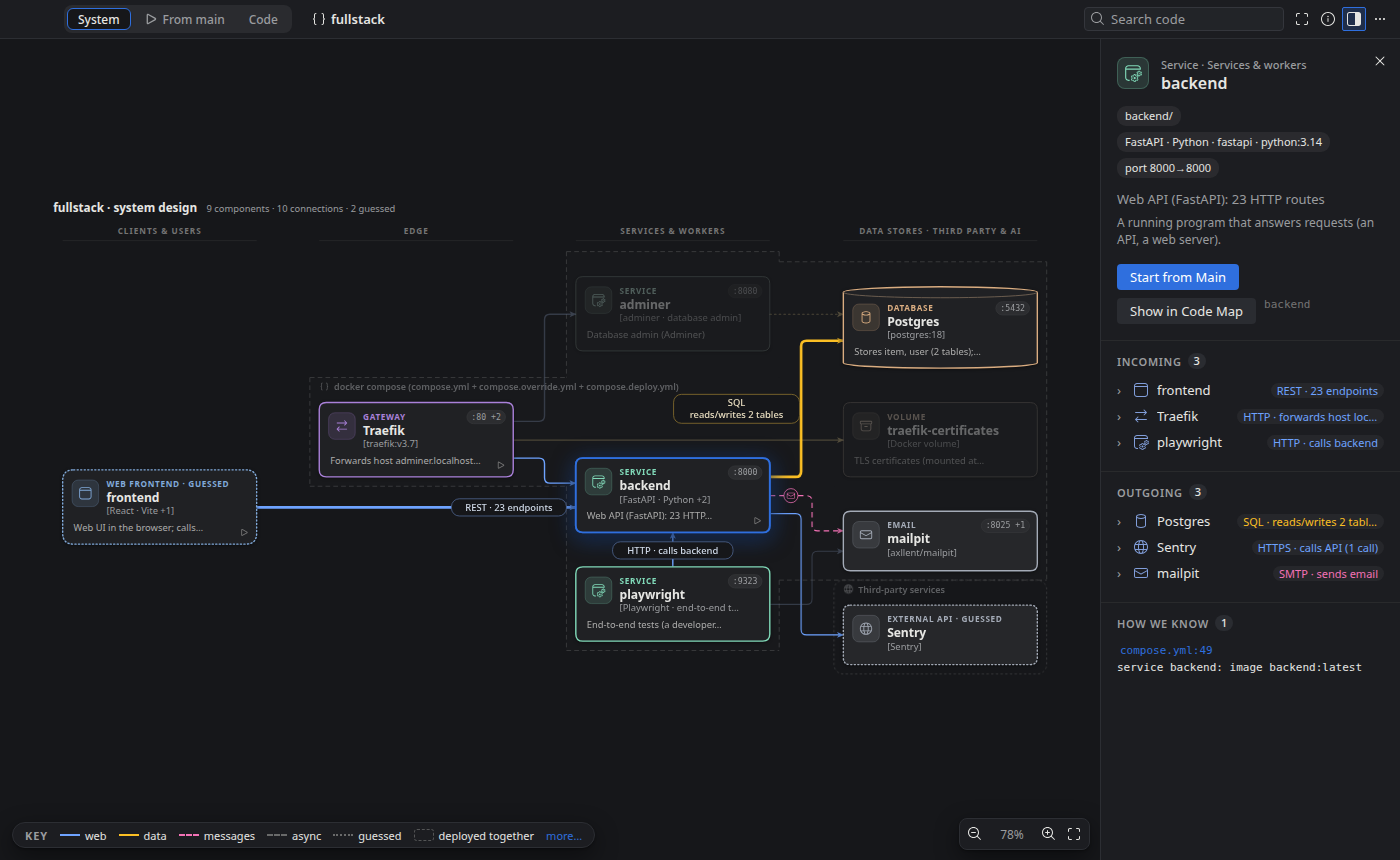
Features
System viewNew in 0.7
A system design diagram of the project: apps, gateway, services and workers, databases, caches, queues and third-party services, in tiers, with technologies, ports and labelled connections (
REST · 58 endpoints,SQL · 37 tables).Start from mainNew in 0.7
The program from its entry point: startup, middleware, routers, routes, handlers and the stores they reach, each with its trigger (HTTP verb and path, cron, queue, CLI).
Focus modeNew in 0.7
Hover or click a box to see how it is connected. The details panel lists its incoming and outgoing connections, each opening to the exact routes, tables or lines.
A zoomable code map
Double-click a box to go inside, and keep going: block, package, module, class, function. Each level shows only what is inside it.
Every function as a flowchart
The whole body of a function, line by line, in a fixed visual language where every statement has one symbol.
Replay a real run
Record a script or a test, then play it on the map with the call stack, the real argument values and the program output.
Find what never runs
Dead code, requests to missing routes and unread config keys, in the Explorer and as warnings in the editor.
View Options and drag to arrange
Choose what the map shows, then arrange boxes by hand. The layout is saved in a file you can commit with the code.
Get started in a minute
Install
Search for Coflow in the Extensions view, or install it from the VS Code Marketplace or Open VSX.
Open a project
Open a folder with Python code and trust it when VS Code asks.
Open the map
Press
Ctrl+Alt+M(Cmd+Alt+Mon macOS), or click the map icon in the editor title bar.Go inside
Double-click a box to go inside it, and press
Escto go back up a level.
Questions
Does my code leave my machine?
No. Coflow reads your files on your computer and draws the map there. It makes no network requests, sends no telemetry, needs no account and uses no AI. See the privacy statement.
Which languages does it support?
Python today, with JSON config files. For the System view, Coflow also reads docker-compose and nginx files and spots the project's frontends. More languages are planned, JavaScript and TypeScript first.
Does it run my code?
The analysis only reads your code; it never runs it. Only Record a Run… runs the script or test you pick, with your own interpreter, which is why Coflow needs a trusted folder.
What does it cost? What is the license?
Coflow is free and open source under the MIT License. The source code is on GitHub: https://github.com/benisalla/coflow
What do I need?
VS Code 1.100 or newer and Python 3.10 or newer. The Python extension is optional: Coflow uses it only to find the interpreter you selected.
Where do I report a bug or ask for a feature?
By email. The support page says what to include so it can be fixed quickly.
What’s new
0.7.0Next release
- System view: the architecture of the project from docker-compose, nginx, frontends and routes
- From main view: exploration starts from the file that runs everything, with triggers and full paths
- Focus mode: incoming and outgoing connections of any box
0.6.0
- View Options menu: choose what the map shows
- Arrange the map by hand: drag, snap, undo, and a layout file you can commit
- A new, calmer look and better organised maps
0.5.0
- Renamed from Code Flow Map to Coflow (extension ID
benisalla.coflow)
- Renamed from Code Flow Map to Coflow (extension ID