Code-Hinter
AI Grading Inside VS Code
Programming exercises created, submitted, and AI-graded without leaving VS Code.
Built with TypeScriptVS Code API
 Python
 Flask
Flask Next.js
 Hugging Face Transformers
 Supabase
Overview
In a programming course, exercises usually live in one place, student code in another, and grading in a third. For a team project at École Centrale de Lyon, we asked whether the whole loop could happen inside the editor students already use, while the professor stays in charge of what counts as a correct answer.
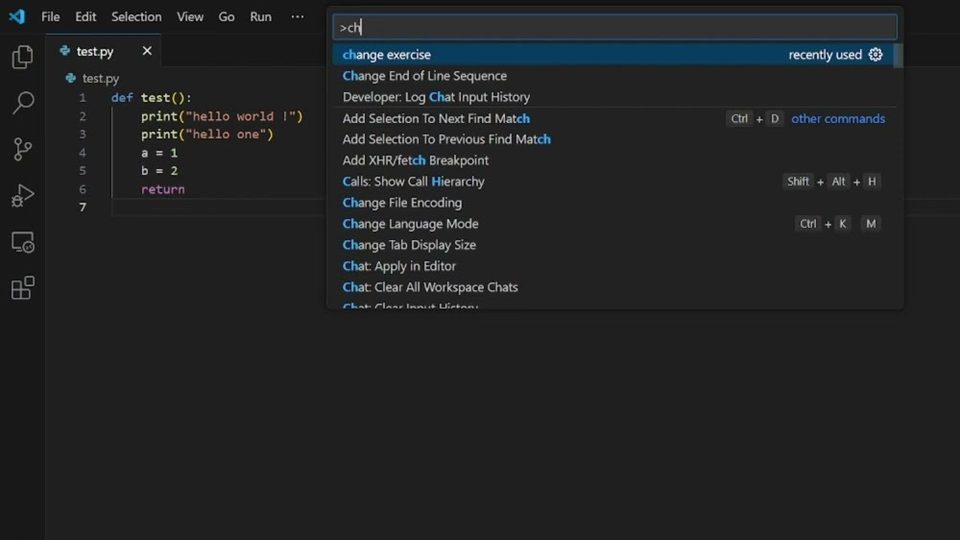
We built Code-Hinter: a VS Code extension, a Python/Flask backend, and a companion Next.js web app. Professors define exercises with a reference solution and the concepts they expect; students log in, pick an exercise, and evaluate or submit their code from the Command Palette. A small open model (SmolLM2-1.7B-Instruct) checks the code against the professor's concepts and scores how close it is to the reference solution.
The project taught me that AI feedback is only trusted when the criteria are explicit and owned by the teacher. It remained an academic project and was not deployed beyond the course.
The question
Can AI-assisted grading live where students already work — the editor — while professors keep control of the grading criteria?
Key features
- VS Code commands to log in, log out, change exercise, evaluate code, and submit code for comparison.
- Concept-based evaluation: for each concept the professor listed, the model answers yes or no with a short explanation and flags syntax or logic errors.
- Similarity scoring that compares a student's submission to the professor's reference code and returns a score from 0 to 100.
- AI code suggestions in Python files, triggered with Ctrl+Space, offered as a completion item that replaces the file with the generated code.
- A Next.js web app with Supabase sign-in and separate teacher and student dashboards for creating, editing, and working on exercises.
How it works
Professor defines the exercise
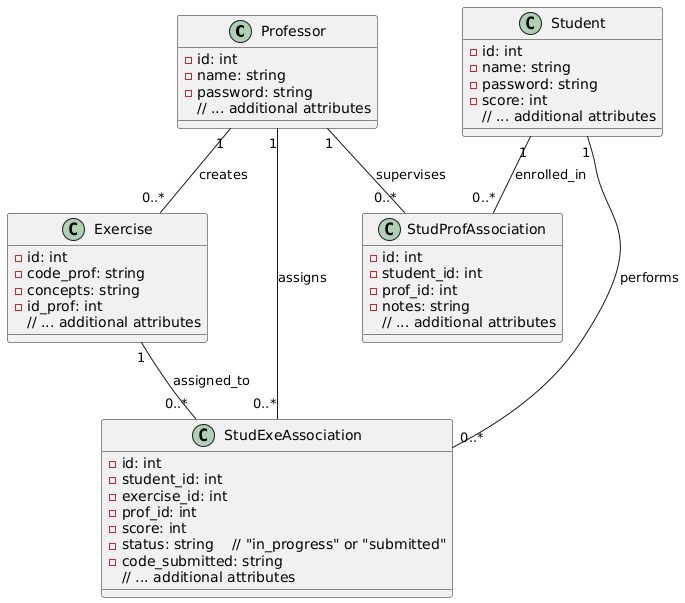
Each exercise stores the professor's reference code and the concepts a correct answer must show, linked to professors and students in a simple relational model.
Student works in the editor
The extension reads the open file and sends it to the Flask API (evaluate_code, compare_code, or complete_code) with the selected exercise.
Model grades against criteria
The backend prompts SmolLM2-1.7B-Instruct through Hugging Face Transformers to check each concept, or to return a single 0 to 100 similarity score against the reference solution.
Result back in VS Code
The response is shown to the student in the editor, and the web app gives teachers and students a dashboard view of exercises.
Examples


Input
POST /api/evaluate_code with the exercise's concepts and the student's code, e.g. "print([x for x in range(10)])"
Output
One line per concept in the format the grading prompt requires: "[nbr]) [yes/no], [explanation in 6 words]", with any syntax or logic error called out.
Tech stack
VS Code extension commands and providers
Commands, completions, and webview results
Backend logic and model inference
REST API for grading and exercises
Teacher and student web dashboards
Runs SmolLM2-1.7B-Instruct for grading
Web app authentication and user roles
What I learned
- Grading criteria must be explicit and owned by the teacher for AI feedback to be trusted
Limitations
- Academic team project; not deployed beyond the course